Between sessions, a tattoo artist juggles three things: new requests, ongoing conversations and the week's calendar. On a phone, you switch from one to the other. On an iPad Pro, you can see them together.
Why a tablet in the studio
A tablet fits on the workstation, reads well standing up, works with a finger even when you've just pulled your gloves off, and shows enough to decide without opening ten screens. It's the tool for the moments when you prepare, sort and reply — not only for checking.
The brief and the conversation, side by side
On iPad in landscape, a request opens in two columns: the project on the left (brief, placement, size, references, appointments), the full conversation with the client on the right. You look at their reference photos while you reply, and prepare your offer — price and time slots — without leaving the screen.
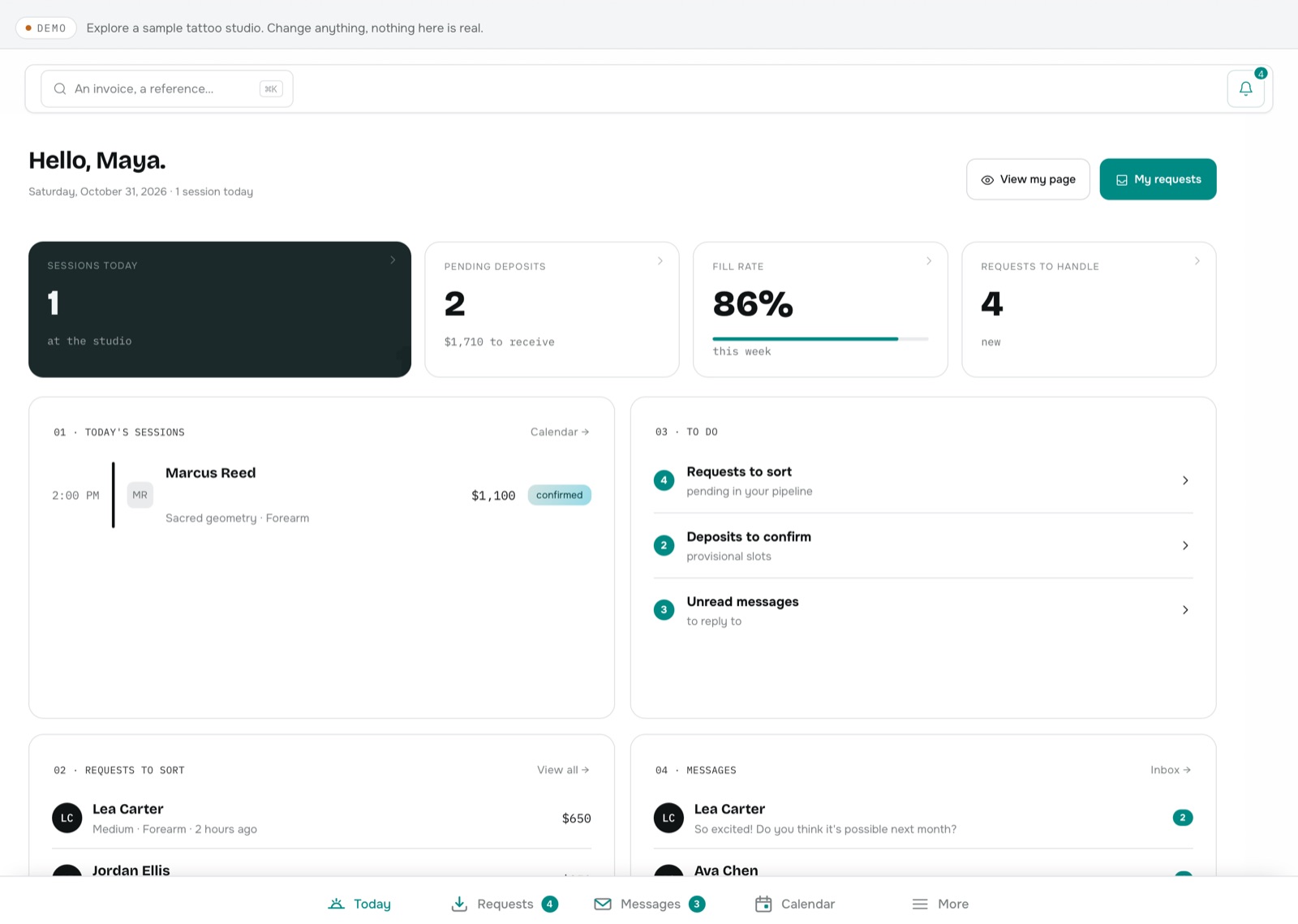
Sort requests and keep the calendar
- The cockpit shows your current or next session first, then what's waiting: deposits to check, requests, messages.
- Requests appear as a table, with the useful details on one line.
- The calendar uses the width: the week reads at a glance.
- The studio — team, stations, finances — is fully available, just like on a computer.
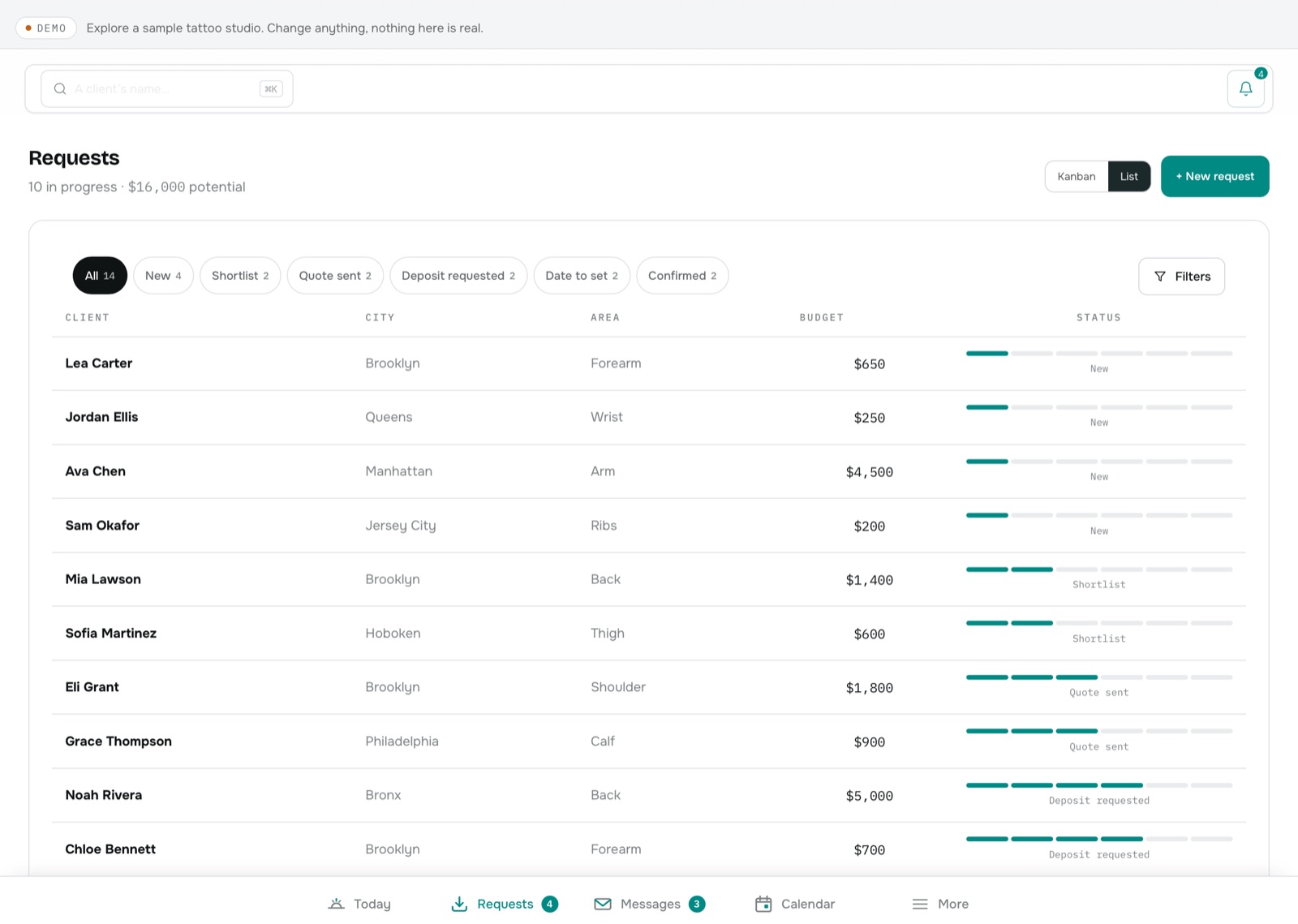
What works today, what's coming
Everything described here works today in your iPad's browser at inkkore.com: same account, same data. The iPad app is in preparation: it will add a home-screen icon, tab navigation and a few native gestures. It isn't on the App Store yet, and no date is guaranteed.
To follow the apps: the Apps page. For device-by-device details: the documentation.