What your client experiences, from request to session day.
One example, start to finish: Jordan Hale asks Maya Brooks for a full leg. Here is every screen he sees, in his browser, with no app and no account.
Demo: fictional people, amounts and dates. Nothing is sent from this page.
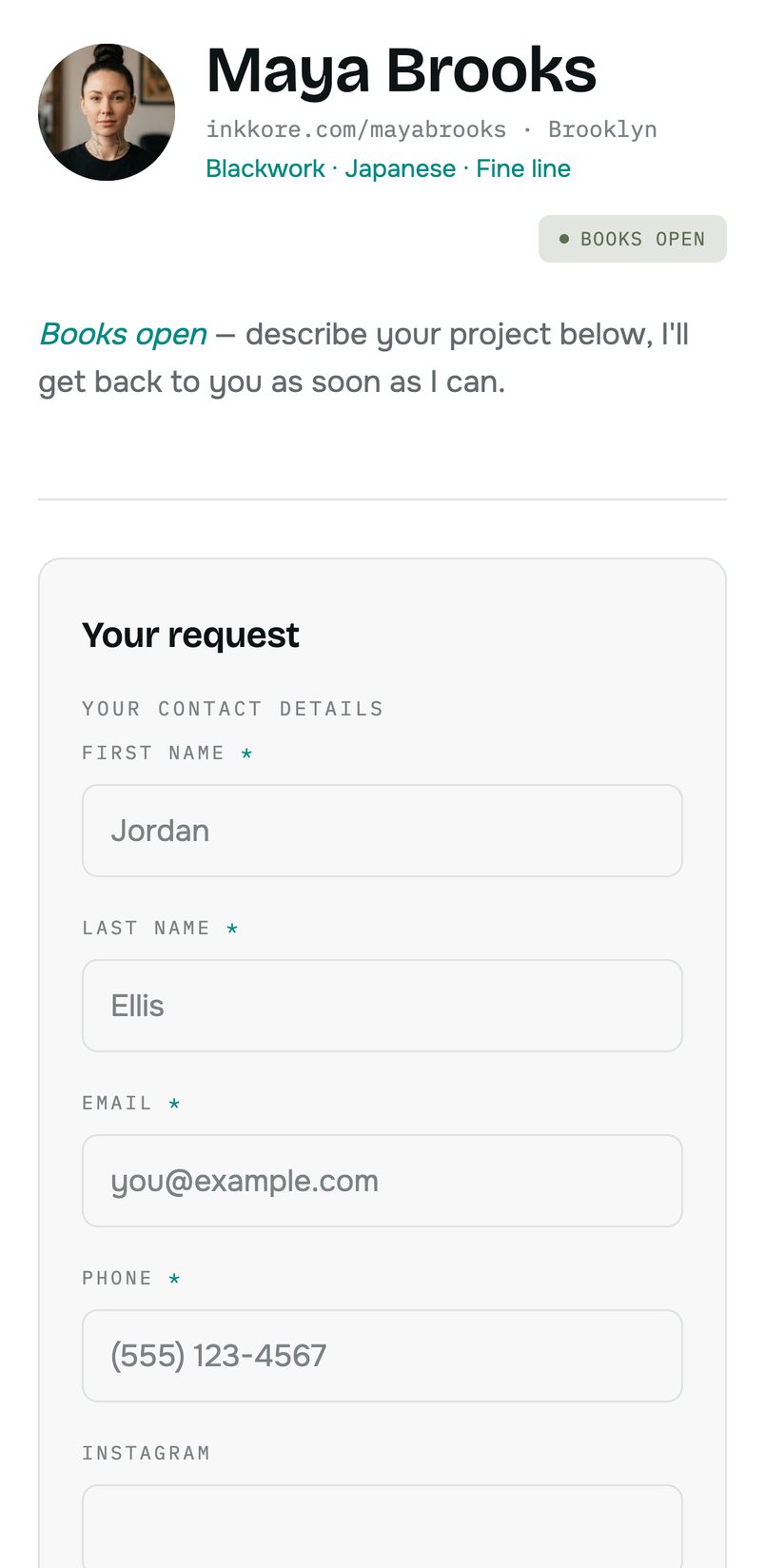
He finds your page and sends his request
The link in your bio opens your page in his browser. Jordan sees your photo, your styles and whether your books are open, then fills in your form.
- He describes his project: a full leg, from hip to ankle.
- He gives the placement, his budget and attaches two reference photos.
- He gets a confirmation email with the link to his private page.
On your sideThe request lands complete in Requests: brief, placement, budget and references.
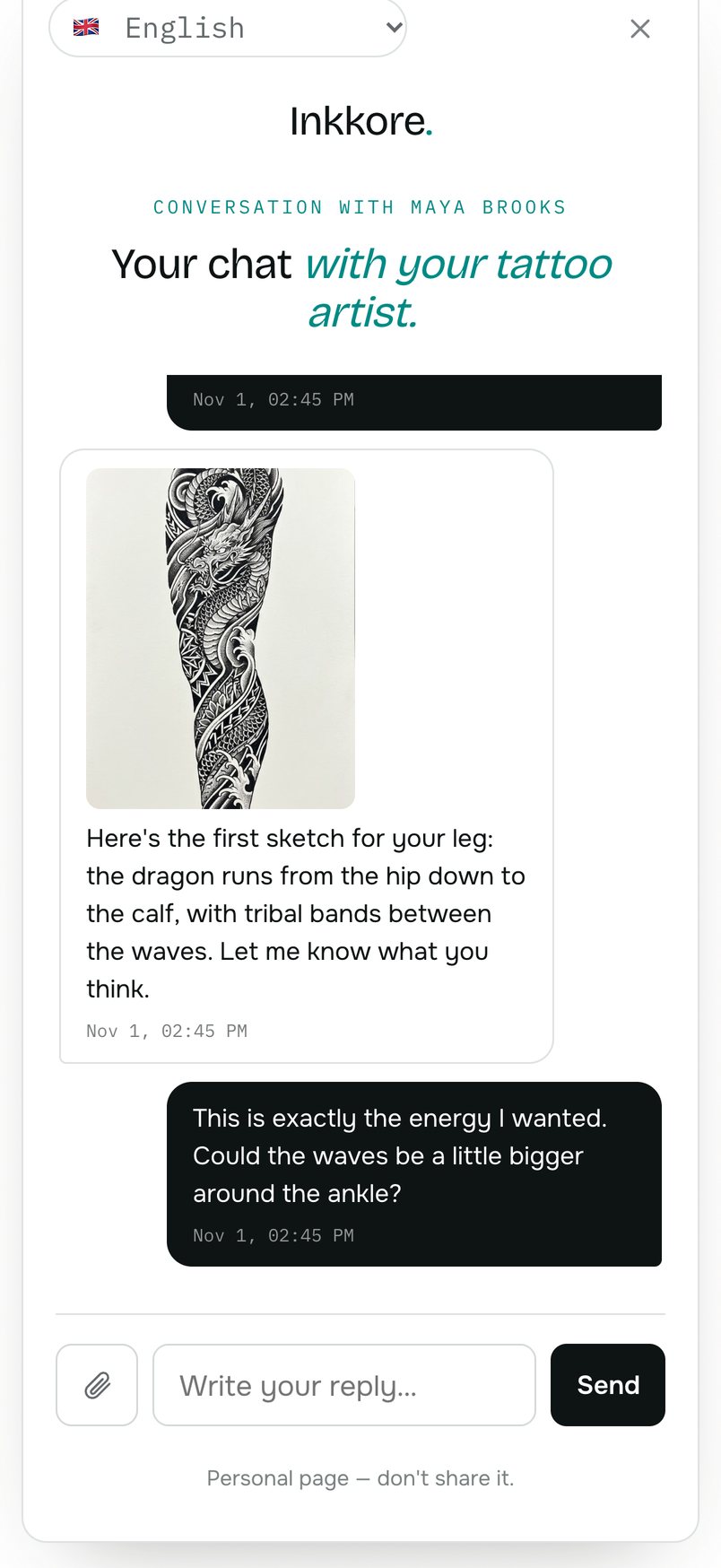
One conversation, with your drawing in it
His private page brings your messages, his photos and your drawings together in one thread, in his language. He gets an email every time you reply.
- Maya attaches her first sketch of the leg.
- Jordan replies in the same place, without digging through DMs.
- Nothing gets lost: the whole history stays on his page.
On your sideYou reply from the request, on a computer, iPad or phone.
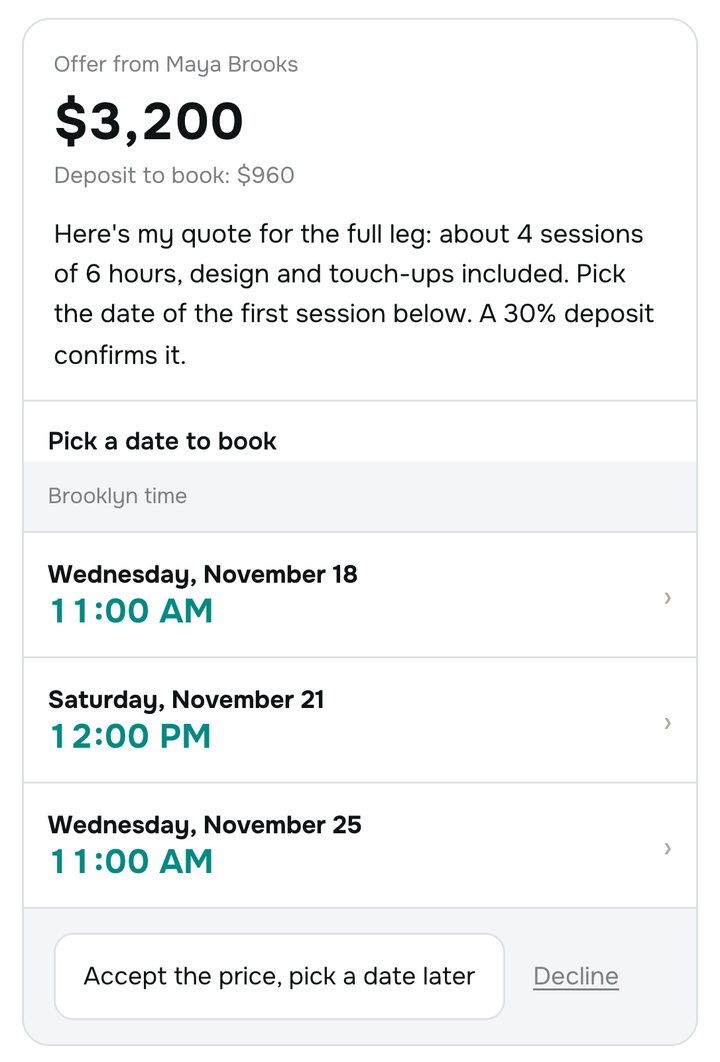
He accepts your price and picks his date
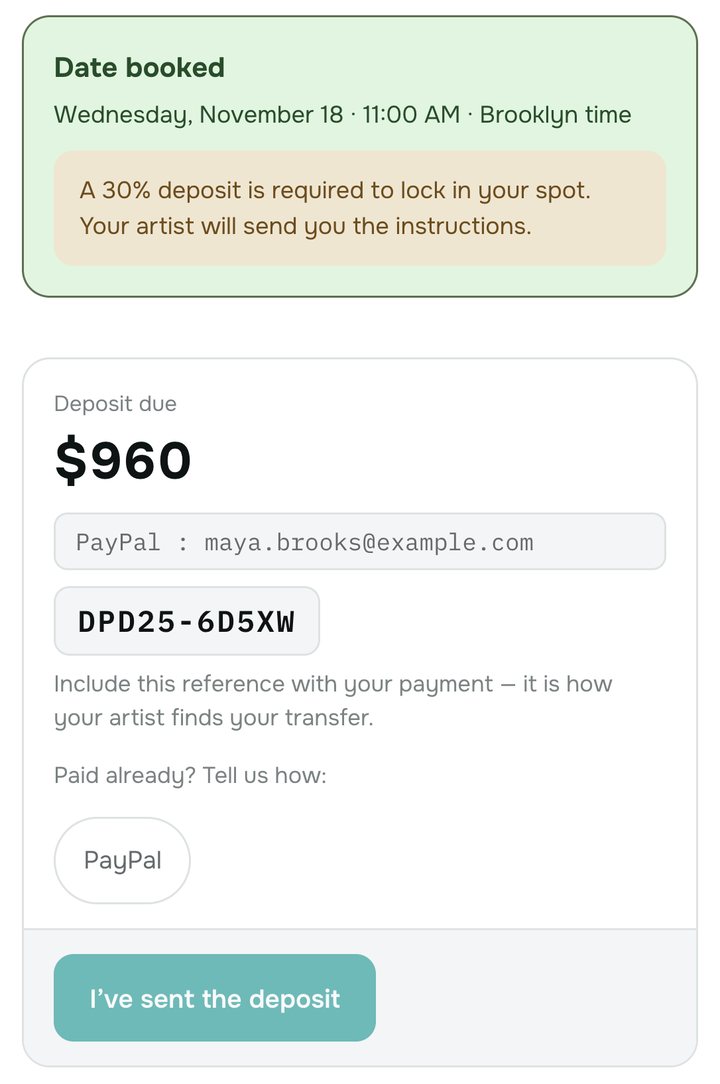
Your offer shows the price, your message and up to three time slots. By picking a date, Jordan accepts the quote: the deposit appears right away, with your payment method and a reference.
- Time slots are shown in the session's local time, here Brooklyn.
- The deposit follows your percentage: 30% of $3,200, so $960.
- He pays you directly, then tells you how he paid.
On your sideInkkore never touches the money: you confirm the deposit received in one click.
His session confirmed, and what's left for him to do
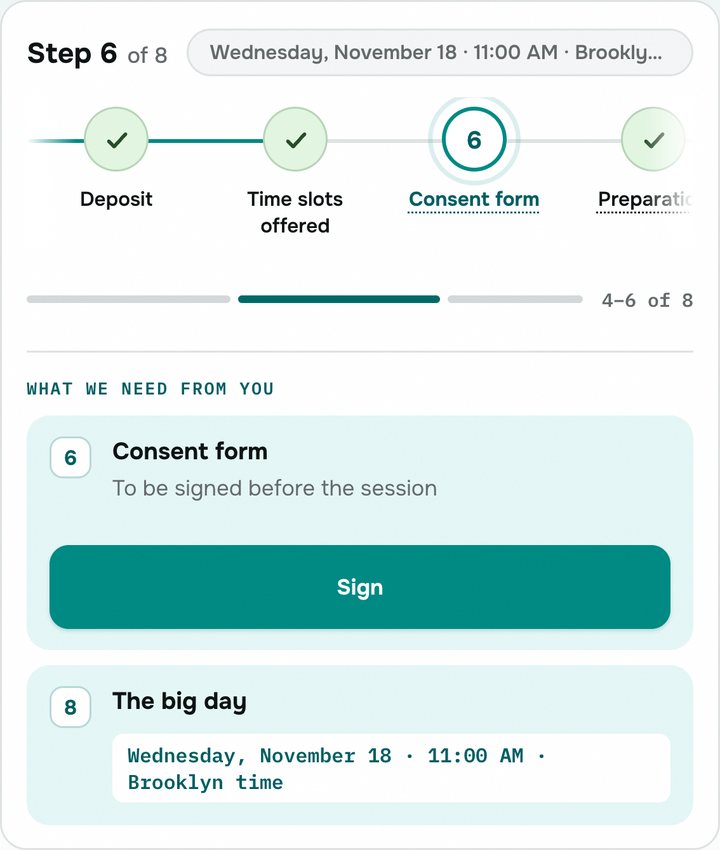
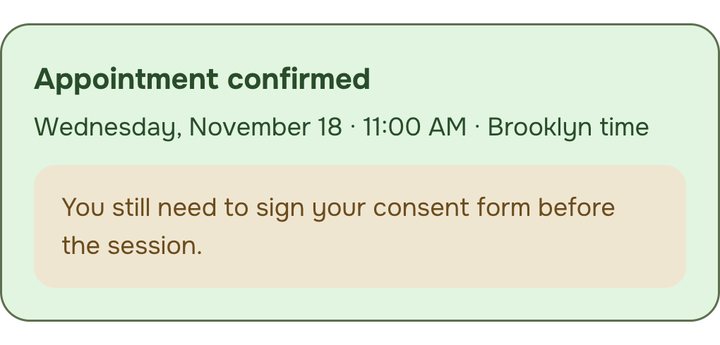
Once the deposit is confirmed, his page shows the date and time of his session and his list of steps: what's done, what's needed from him, then session day.
- Wednesday, November 18, 11:00 AM, Brooklyn time.
- The remaining steps are highlighted, one at a time.
- His page stays available until the session, and after.
On your sideThe session is in your calendar, linked to the request and its deposit.

Consent and preparation, online
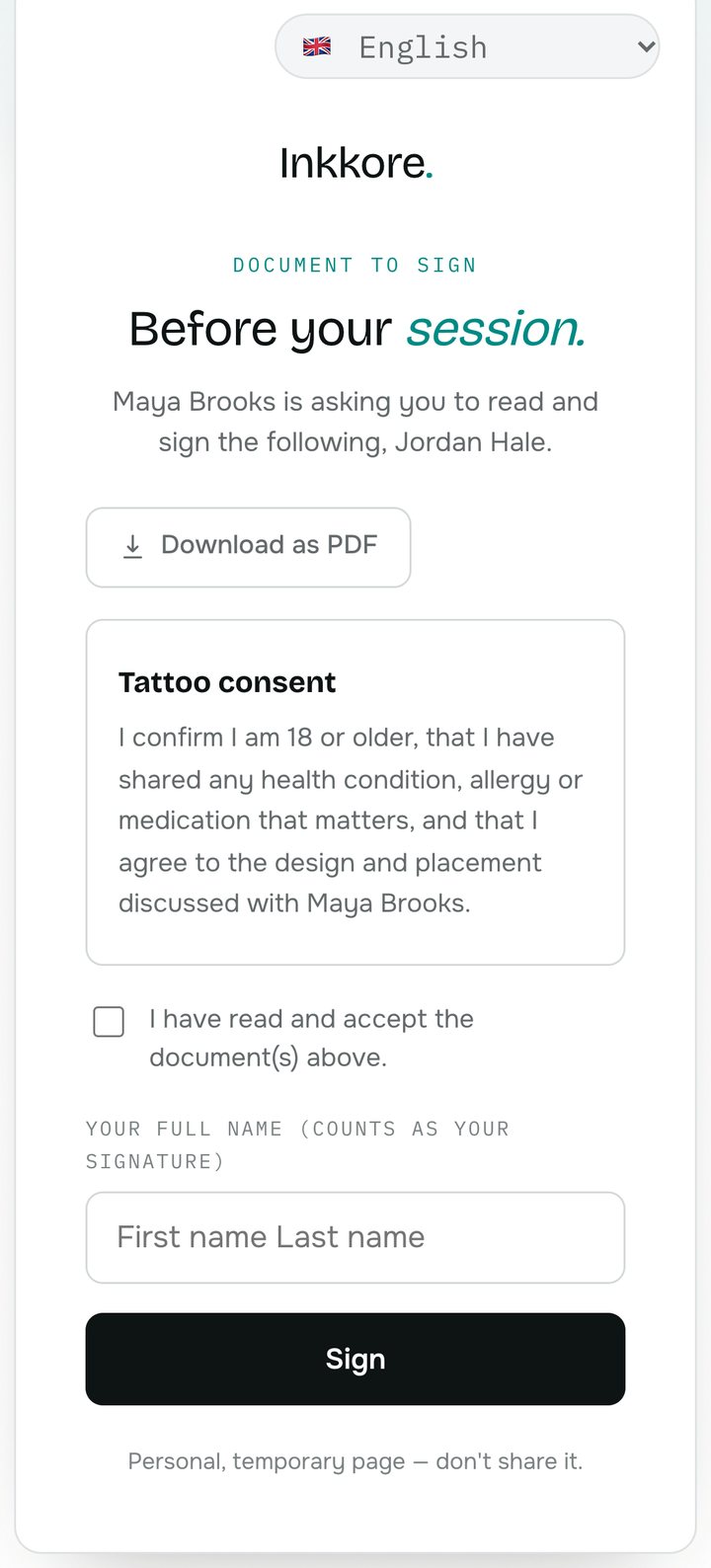
Jordan reads and signs your consent form from his phone: he ticks the box and types his full name. He also keeps your preparation guide, downloadable as a PDF.
- Your documents are yours: you write them once.
- The consent form opens on its own page, ready to print.
- The content stays in your language, the interface follows his.
On your sideIn Consent, you see who signed, and when.
- The big day
Your aftercare guide
Keep the film on for 24 hours, then wash gently… - J3
“How is it healing?”
He replies with a photo of the tattooed area. - J14
Second check-in
You see how it's evolving, with a photo. - J30
The final, healed photo
It stays in his file, and can go into your portfolio.
After the session, follow-up in the same place
After the tattoo, he gets your aftercare guide. On day 3, 14 and 30, you check in with one click: the message lands in his conversation, and he replies with a photo.
- Each project keeps its page: messages, quote, documents.
- Lost it? The two codes in his confirmation email bring it back.
- A new tattoo means a new request and a new page.
On your sideIn your client file, you find his projects, his sessions and his healing photos.
The same journey, for your clients.
Claim your link and try it with a real client, or explore the demo dashboard first.